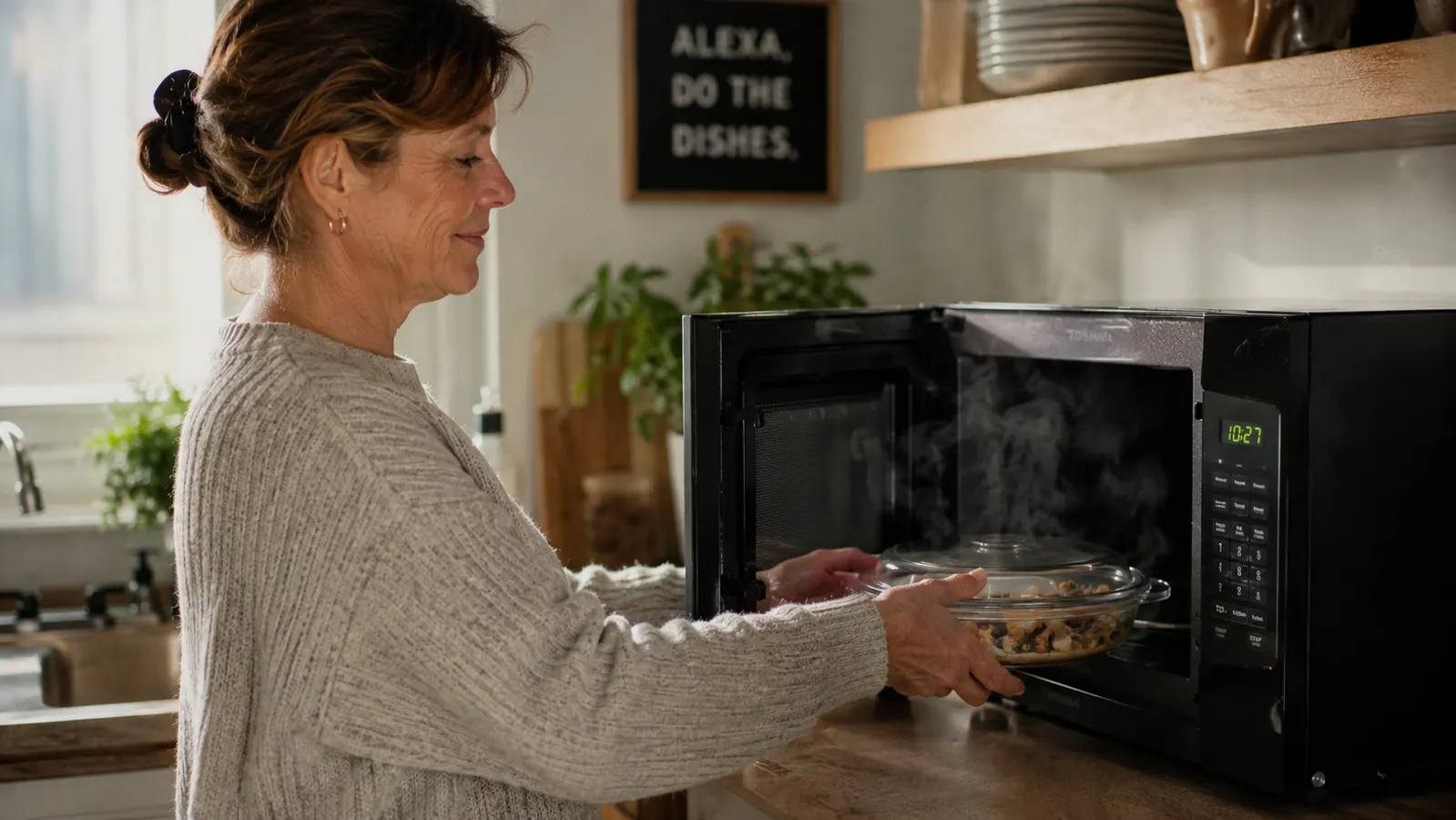
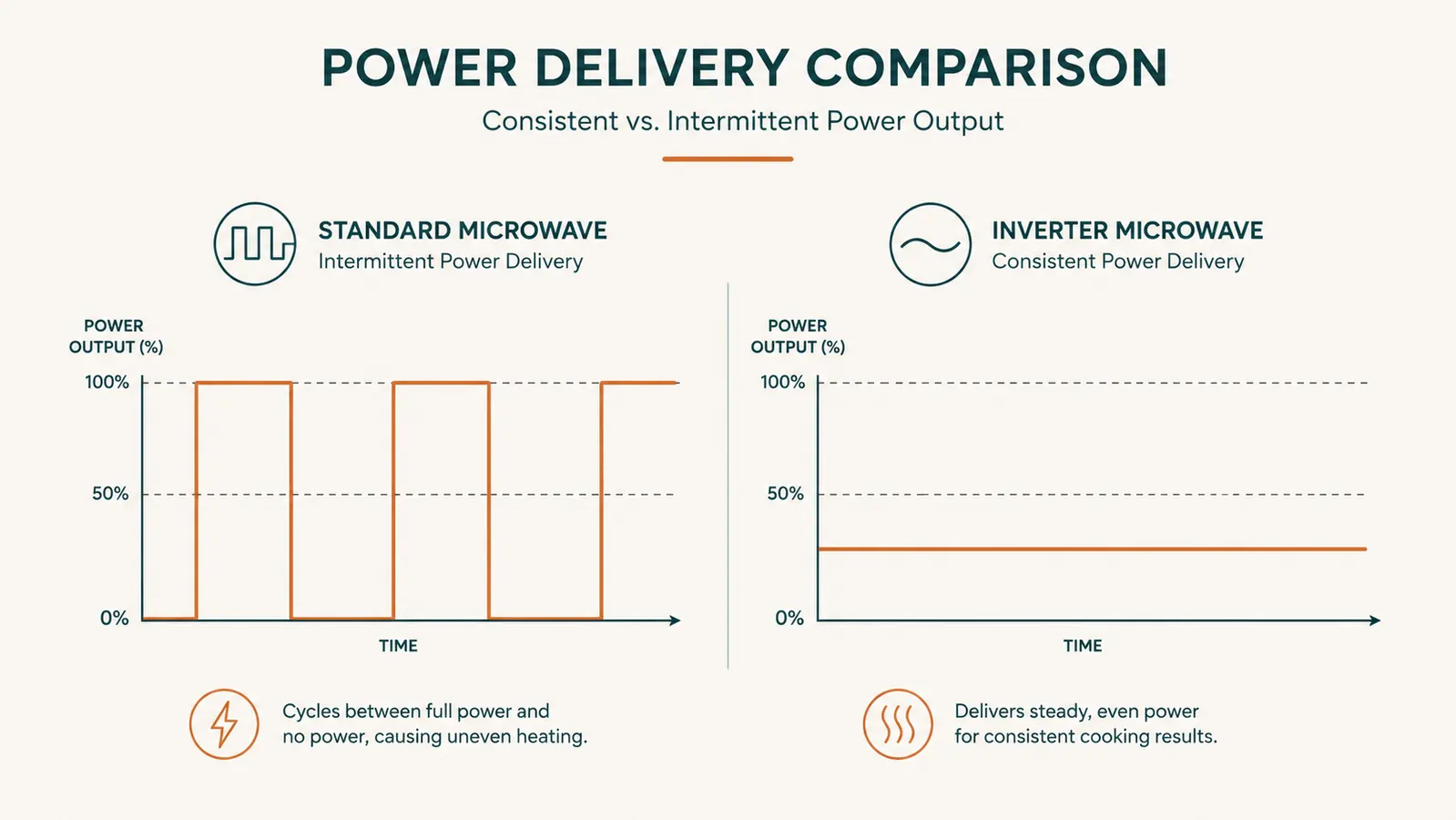
Thirty years running a school cafeteria kitchen in Tucson taught me one hard lesson about reheating food: rubber edges and a frozen middle are never about bad luck. They're about power level and placement. I fed 600 kids a day off institutional equipment that could heat a full hotel pan of enchiladas evenly in four minutes, and when I brought that same expectation home to my little countertop microwave, I got burned edges on the chicken and an icy center every single time. It wasn't until I switched to a Toshiba inverter microwave that I finally understood what I'd been doing wrong for years. The problem was never my leftovers. It was that a standard microwave cycles full power on and off, and an inverter, like the one in my Toshiba, delivers a steady stream of lower power instead.
If you've got a Toshiba EM131A5C-BS or something similar sitting on your counter right now, this guide is what I wish someone had handed me the day I unboxed mine. Five steps, nothing fancy, just what actually changes when food comes out hot all the way through instead of scalding on the rim and cold in the middle. I still use commercial habits I picked up feeding a cafeteria line, scaled down for one person's dinner instead of 600 trays, and every one of these steps assumes you've got a sensor-equipped inverter model to work with. I tested most of these habits over several months on the same rotation of leftovers, rice bowls, casseroles, soup, a rotisserie chicken, until I could predict exactly how my plate would come out before I ever pressed start.
Still Reheating on Guesswork? A Toshiba Inverter Ends the Rubber-Edge Problem
The TOSHIBA EM131A5C-BS uses a smart humidity sensor and true inverter power to reheat leftovers evenly instead of nuking the outside while the center stays cold. Twelve auto-menu settings mean you're not standing there guessing at 30-second increments.
Amazon Check Today's Price on Amazon →Step 1: Match the Power Level to the Food, Not the Clock
A standard microwave only knows one trick: full power, cycled on and off to fake a lower setting. That's why the outer edge of your plate scorches while the middle stays cold, the magnetron is blasting 100% power in bursts, and food closest to the cavity walls absorbs most of it before the wave ever reaches the center. My Toshiba works differently. Its inverter circuit delivers a continuous, steady stream of power at whatever percentage you dial in, instead of full blasts with gaps in between. That single difference is the whole reason reheating stopped being a gamble in my kitchen, and it's the reason I stopped assuming every microwave behaves the same way.
In practice, that means I stopped defaulting to 100% power for everything. For a plate of last night's enchiladas, I set my Toshiba to 70% power for about three minutes instead of full power for ninety seconds. It takes a little longer, but the cheese doesn't turn to rubber and the tortilla underneath actually gets warm instead of staying cool while the top layer scalds. For soups and stews I go even lower, around 50% power, because liquid holds heat and keeps cooking a bit after the microwave shuts off. For anything with a crust, like a baked pasta dish, I've found 60% gives the sauce time to warm through without the cheese on top separating into an oily layer.
The auto menu on the Toshiba actually picks a lot of this for you if you use the preset reheat or beverage buttons instead of manually punching in a time. I still adjust power manually for oddball leftovers like a casserole with a crusty top and a saucy bottom, something no preset button was ever built to handle. But for straightforward plates, letting the inverter choose the power curve saves me the guesswork every time, and it's usually more accurate than whatever number I would have guessed on my own after thirty years of cooking for hundreds of people at once.
Step 2: Use the Sensor Reheat Function Instead of Guessing Time
The smart humidity sensor is the single most underused button on my Toshiba, and I'd bet it's underused on yours too. Instead of you telling the microwave how long to run, the sensor reads the steam coming off the food and calculates the time itself, then adjusts power as it goes. I didn't trust it the first month I owned mine. I kept overriding it with a manual time, because thirty years of cafeteria steam-table habits made me want control over every second, and letting a machine decide felt like giving up something I'd spent decades getting right by feel.
Once I let it do its job, I stopped both undercooking the center of a cold rice bowl and turning the edges of a slice of lasagna into shoe leather. The sensor reheat setting on the Toshiba reads humidity levels released as food heats, so it naturally slows down once the plate is actually warm instead of running blind for however long I guessed. On a rotisserie chicken breast left over from Sunday dinner, sensor reheat gets it hot all the way to the bone in about two and a half minutes without drying out the outside, something a flat two-minute manual setting never managed for me no matter how many times I adjusted it.
One habit that matters here: cover the plate loosely with a microwave-safe lid or a damp paper towel before you start the sensor cycle. The sensor is reading moisture in the cavity air, and food sitting uncovered releases steam differently than food trapped under a cover. I learned this the hard way with a plate of pasta that finished cold in the middle because the steam escaped too fast for the sensor to read it accurately. Now covering food is automatic for me, the same way covering a hotel pan on a steam table always was.
Step 3: Arrange Food in a Ring, Never a Pile in the Center
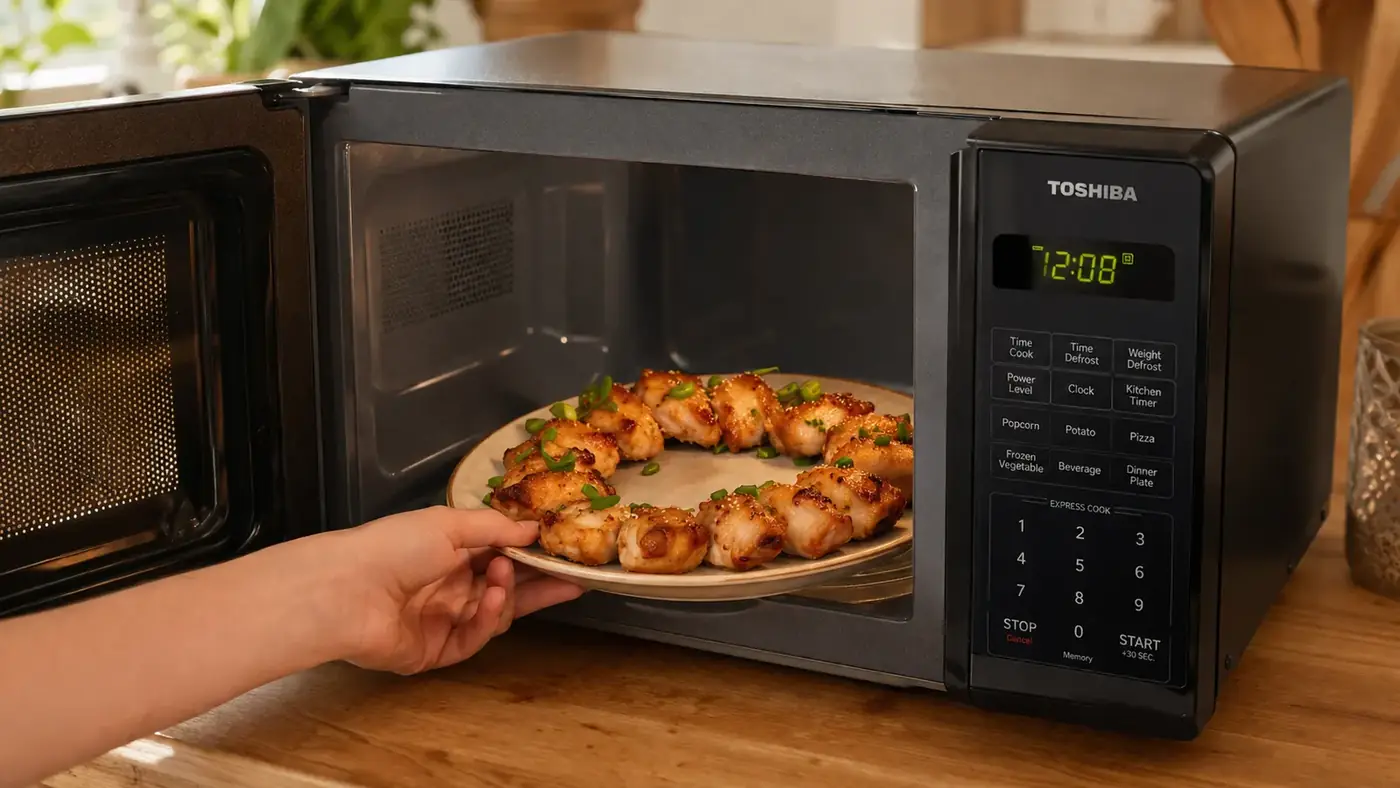
This is straight out of institutional kitchen habits, and it matters just as much on a 12.4 inch turntable as it does on a full steam table. Microwaves heat from the outside in, and food piled in the dead center of the plate, farthest from the cavity walls, always ends up the coldest spot on the plate. When I plate leftovers now, I spread them toward the outer third of the plate in a rough ring and leave the middle mostly empty, the same way I used to spread trays of food across a steam table so nothing sat in a dead zone.
On my Toshiba's 12.4 inch removable turntable, this makes an obvious difference. A scoop of mashed potatoes dumped in the center comes out with a cold core no matter how long you run it, but the same potatoes spread in a donut shape around the plate's edge heat through evenly in the same amount of time. Thicker items go toward the outer ring where the microwave energy is strongest, and thinner or already-warm items can sit closer to the center where less energy reaches.
I do this even for single-item reheats like a slice of pizza. Instead of centering the slice, I set it toward the edge of the turntable, crust pointing inward. The crust is thick and dense, so it needs to be where the energy is concentrated. The cheese and toppings heat fast regardless of position, so protecting them from overheating while getting the crust properly hot is really the whole game, and it's a two-minute habit once you've done it a handful of times.

Step 4: Let the Inverter Actually Do Its Job, Don't Open the Door Constantly
I get it, the instinct to open the door and poke at your food halfway through is strong, especially if you've been burned before by a microwave that lied to you about doneness. But every time you open the door, you reset the cavity's humidity reading and interrupt the power curve the inverter was running. On a standard on-off microwave this barely matters, because it's just blasting full power in bursts anyway. On an inverter like my Toshiba, it actually throws off the steady, gradual power delivery that's the whole point of buying an inverter model in the first place, and I've timed the difference myself, a plate checked twice always finishes less evenly than one left alone.
I set a rule for myself early on: pick the setting, close the door, and don't touch it again until the timer ends or the sensor cycle finishes on its own. If I'm nervous about a specific dish, like a thick beef stew, I'll check it once at the true halfway point and give it a single stir if needed, then close the door again and let the rest of the cycle run uninterrupted. Constant checking is a habit left over from unreliable microwaves. A good inverter model doesn't need it, and once you stop checking every thirty seconds, you'll notice the food actually finishes more evenly, not less.
Step 5: Rest the Food Before You Dig In
Every cafeteria cook I ever trained knew this rule for a steam table, and it applies just as much to a countertop microwave. Food keeps cooking for 60 to 90 seconds after the power shuts off, because heat keeps moving from the hottest parts of the dish toward the cooler ones. Pull your plate the second the Toshiba beeps and you'll find spots that seem underdone, when really they just need another minute to even out, the same way a roast needs to rest before you carve it.
I rest everything, a bowl of soup, a plate of rice and vegetables, a reheated casserole, for a full minute before I touch it, sometimes two minutes for anything dense like a lasagna or a thick cut of meat. That rest period is doing real work. It's letting residual heat redistribute from the parts the microwave hit hardest to the parts it barely touched. Skip this step and you'll swear your microwave reheats unevenly, when really you just didn't give the heat time to finish traveling through the food.
What Else Helps
A few smaller habits round this out. I always use a microwave-safe cover, not because it looks tidy, but because trapped steam actually helps food heat more evenly and keeps the sensor reading accurate. I cut larger portions into smaller, more uniform pieces before reheating instead of trying to microwave one giant chunk of casserole, because uneven thickness is the single biggest cause of hot-outside, cold-inside food. I've also stopped reheating straight from the fridge for dense foods like rice or beans, letting them sit at room temperature for ten minutes first so the microwave isn't fighting a 40-degree core the whole time. Small changes, but they stack up.
None of this requires fancy equipment. It requires understanding that a microwave, even a good one like my Toshiba, is responding to the shape, density, and starting temperature of whatever you put inside it. Master that part, keep the mute function on if you've got a sleeping house like mine, and let the ECO mode handle standby power when you're not using it. The removable turntable makes cleanup simple after a spill, which happens more than I'd like to admit, and the easy-clean interior means I'm not scrubbing baked-on sauce off the walls every week. The appliance does the rest, and after six months I still haven't gone back to guessing.
Rubber edges and a frozen center were never about bad luck. They were about power level and placement, the same two things I managed on a steam table for 600 kids a day.
Stop Fighting Your Old Microwave's Guesswork
If you're still babysitting a microwave that reheats unevenly no matter what you try, the Toshiba EM131A5C-BS's inverter technology and 12 auto-menu settings take the guesswork out completely. It's the same fix that ended my rubbery-chicken problem for good.
Amazon Check Today's Price on Amazon →